
Extension not installed yet? Install Doubao Watermark Remover from the Chrome Web Store, then come back to this page.
1. How to use an activation code
Enter the code only in the Chrome extension. There is nowhere to type it on this website. The whole process takes less than a minute.
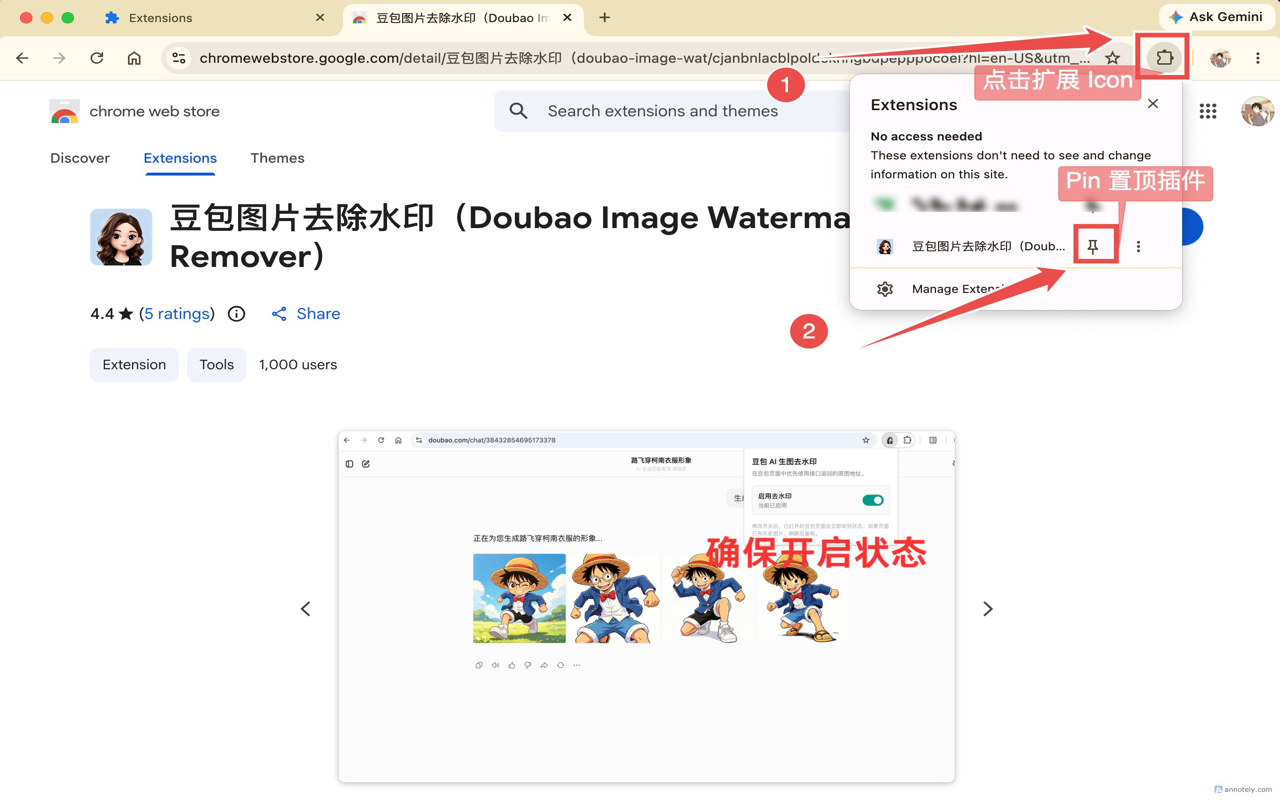
Step 1: Open the extension from the toolbar
In the top-right of Chrome, open the puzzle-piece Extensions menu and pin Doubao Watermark Remover to the toolbar. After that, click the icon to open the popup.
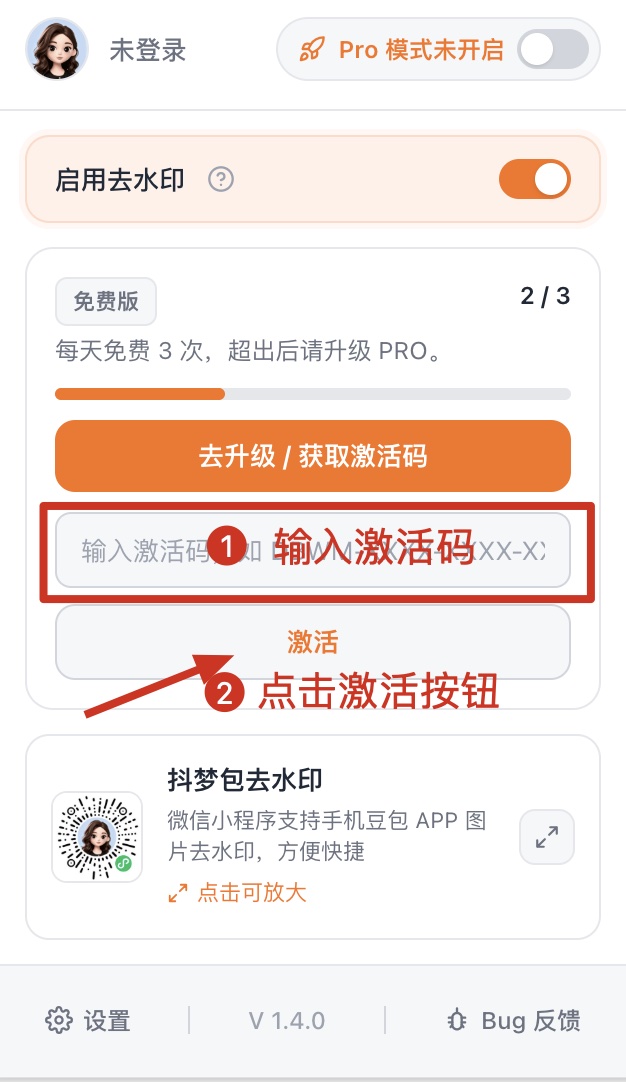
Step 2: Paste the code and click Activate
The popup has a field with the placeholder 输入激活码,如 DBWM-XXXX-XXXX-XXXX and an Activate button next to it.
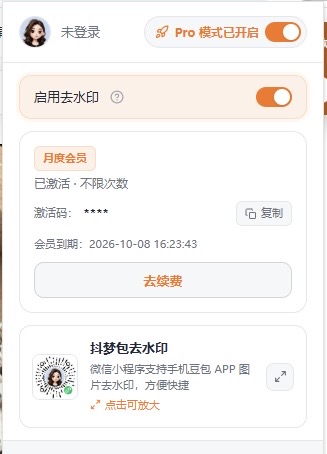
Step 3: “Activated · unlimited” means it worked
The membership line then shows PRO, the plan (monthly, quarterly, or yearly), and the expiry time.
If a watermark is still there, or the page still asks you to upgrade, leave the Doubao page and open it again. The page may be showing a stale state.
Rules for activation codes
- A code is tied to the browser profile, not to your Doubao account. A different browser, Chrome profile, computer, or a cleared extension storage can count as a new device. New codes allow 1 device by default. Earlier codes follow the device count agreed when they were issued. When every slot is taken, a new device cannot activate, and the devices already activated keep working — nothing is replaced automatically. To move to another machine, email the support address below and ask for a device reset, then activate on the new device. A reset does not extend or restart the membership period.
- Time starts when you click Activate. Monthly adds 1 calendar month, quarterly adds 3, and yearly adds 12. It does not renew on its own.
2. Activated, but the download still has a watermark
Leave the Doubao page and open it again.
3. Activated, but it still asks you to upgrade to PRO
Leave the Doubao page and open it again. The page may not have picked up the new membership state.
Still stuck?
Email support with the extension version and a screenshot of the error. Those messages are handled first.